Send the PDF. That is the right answer nine times out of ten, and the exception is narrow: send the Word file only when the person receiving it has to change what is in it. A CV, a contract, an invoice, anything going to a printer - all PDF. A draft your colleague will redline, a template someone else fills in - Word.
The whole of pdf vs word comes down to one difference. A Word file is not a document; it is a set of instructions for building one, and the machine that opens it does the building, using the fonts it happens to have and the Word it happens to run. A PDF is the document: the page as it was finished, already laid out, with the fonts packed inside it.
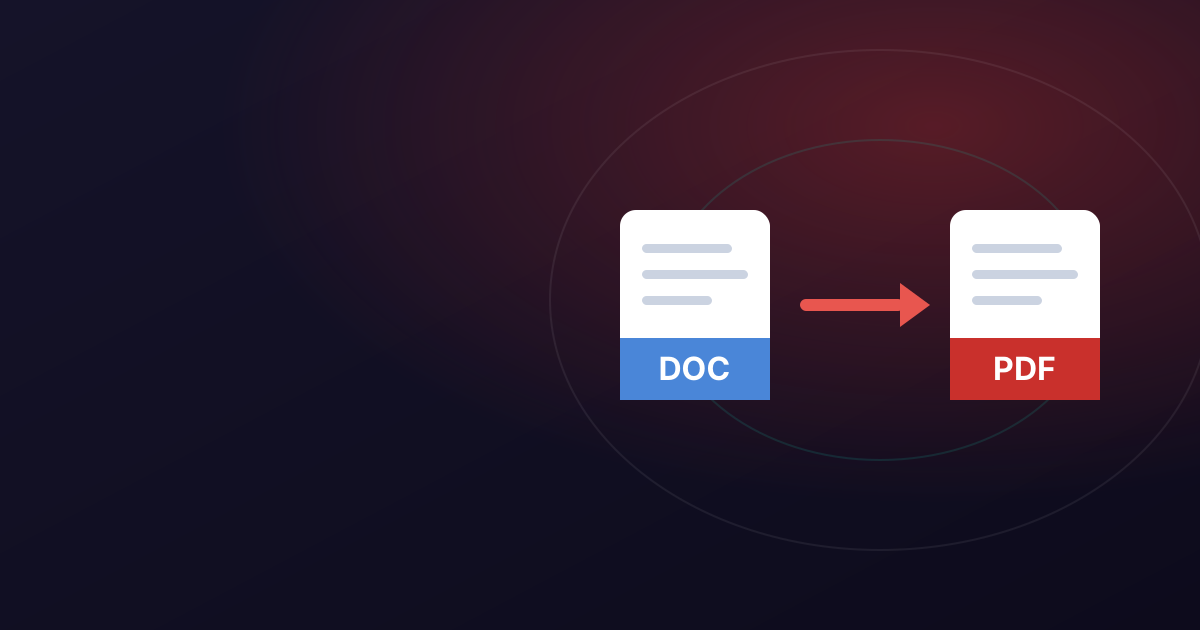
Everything else follows - why your headings move, why a two-page CV arrives as three, why the printer asks you to send it again. This guide explains the mechanism, answers the cases people search for, and covers going each way with Word to PDF and PDF to Word.
PDF vs Word: the one difference everything else follows from
Open a .docx and you are not looking at a page. You are looking at the result of your computer reading a description and drawing it: this paragraph is Calibri at 11 point, this heading must not be separated from what follows. Word measures your installed fonts, works out where each line ends and where each page breaks, and paints the result - again, from scratch, every time the file is opened.
A PDF is the other end of that process. By the time it is written the measuring is finished, and what goes into the file is the outcome: put this glyph at this coordinate on page one, then this one. The letter shapes are embedded alongside them, and there is no flowing left to do.
That is why one is easy to edit and the other is not. It is not that PDFs are locked. A Word file still contains the concept of a paragraph, so a longer sentence pushes the rest of it along; a PDF has positioned glyphs, so a longer sentence has nothing to push. It is also why one travels reliably: a PDF carries everything it needs.
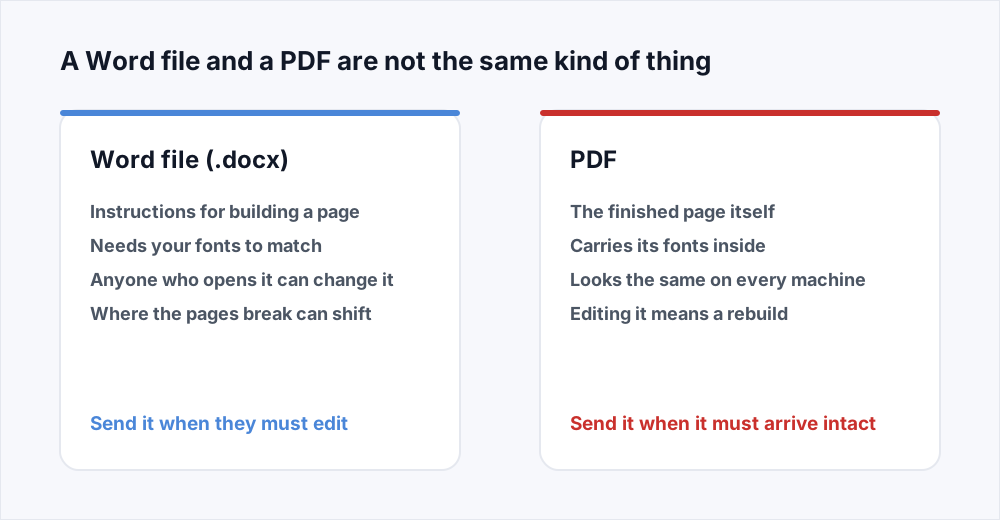
The difference between PDF and DOCX, line by line
The same document saved both ways, compared on the things that go wrong.
| What you are comparing | Word file (.docx) | |
|---|---|---|
| What is in the file | A description of a document | The finished pages |
| Who lays it out | Whatever opens it | Nobody - it is already laid out |
| Fonts | Must be on the reader's machine | Embedded in the file |
| Page breaks | Recalculated on open | Fixed when it was made |
| Editing | Straightforward, by anyone | Possible, but a rebuild |
What happens when the recipient does not have your fonts
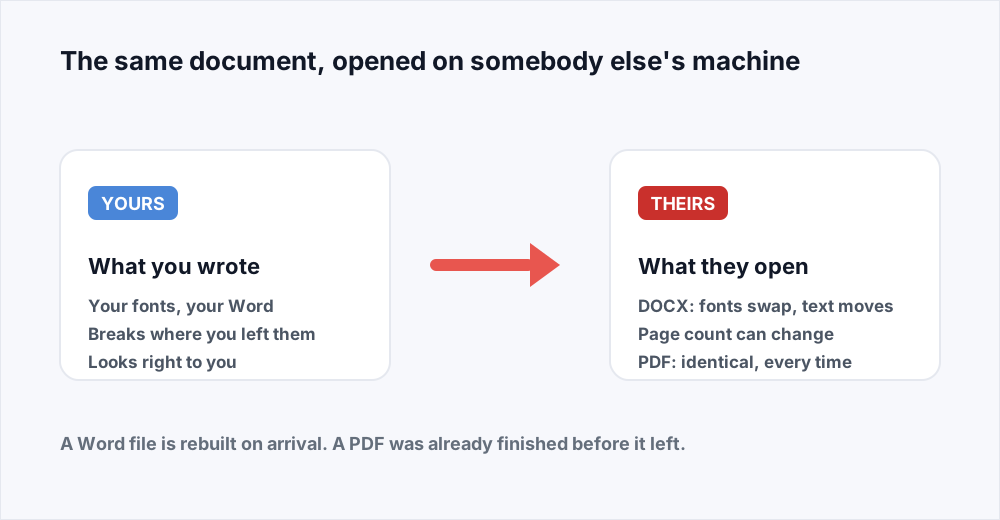
This is the failure that costs people interviews, and it is invisible from the sending end. You chose a typeface you like. The file you send names it. The recipient's machine does not have it, so it substitutes the nearest thing it does.
Substituted fonts are rarely the same width. A wider replacement means every line holds fewer characters, every paragraph gains a line, and a page break moves up - which pushes the next one. Two clean pages become three, with one orphaned line on the last. Nothing is corrupt: it was rebuilt correctly, on a machine with different materials.
Versions add a second layer. A file made in a current Word and opened in an old one, or in Google Docs or LibreOffice, goes through a translation. Most of it survives. What tends not to are the things that were fiddly already: nudged text boxes, merged table cells, lists that restart.
A PDF has none of this exposure. The letter shapes travel inside the file and the line breaks were decided on your machine, so what the recipient opens is what you saw.
Should I send a PDF or a Word document? The cases people search for
One line each. The reason matters more than the answer, so it is here too.
| What you are sending | Send | Why |
|---|---|---|
| A CV or resume | The layout must survive their machine | |
| A final contract | Wording and pagination have to be fixed | |
| An invoice or a quote | No figure should be alterable | |
| A report a colleague must edit | Word | They need paragraphs, not glyphs |
| A form somebody fills in | PDF with fields, or Word | Whether they type or print it |
| Anything going to a printer | The press needs the exact page and size | |
| A draft going to a lawyer | Word | Tracked changes are the point |
| Something you want kept private | PDF with a password | A PDF can be encrypted on open |
Which format for a CV, and when a recruiter wants the Word file
PDF, unless the advert or the agency explicitly asks otherwise. A CV is a layout as much as a list of jobs, and the spacing that makes it scannable in six seconds is exactly what re-flows when a font is substituted. A recruiter opening a wrecked two-and-a-bit-page document will not assume it was the software's fault.
The exception is real. Some agencies want a Word file because they rewrite your CV onto their own letterhead first, which is quicker from real paragraphs than from positioned text. If an agency asks, send it. If a portal asks for PDF, or says nothing, send the PDF. The claim that applicant tracking software cannot read a PDF is out of date; what it cannot read is a CV that is a photograph of one.
Send a contract as PDF or Word, and what a lawyer expects
Both, at different stages. While the terms are still being argued, the contract is a Word file: that is what tracked changes and a comparison between two drafts are for, and a lawyer sent a PDF at that stage will ask for the Word version first.
The moment the terms are agreed it becomes a PDF, and it should not go back. Convert the agreed file once, with Word to PDF, and keep the .docx as your working copy. If a late change is needed, change the Word file and convert again. Never amend the PDF separately: you then have two documents that disagree, and no way to tell which was signed.
PDF or Word for printing, and what a print shop needs
PDF, without exception, and this is the case where a Word file is most likely to cost real money. A commercial printer does not open your document to read it; they send it to a machine that needs to know precisely where every mark goes. A Word file asks that machine to lay the document out first, on a computer with neither your fonts nor your Word, and whatever comes out is what gets printed a thousand times.
Check the page size before you send it, too. A4 and US Letter are close enough to pass unnoticed on screen and far enough apart to crop a margin on paper, and it is the PDF's stated page size that decides which happens.
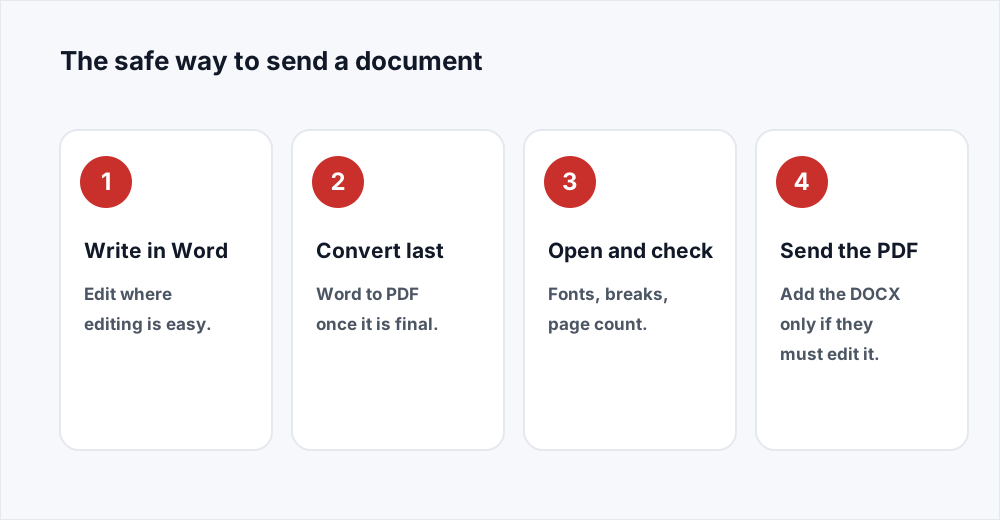
The safe way to send a document, in four steps
Work in the format that is easy to work in, and convert at the last possible moment.
Langkah 1: Write and edit in Word
Do the writing and the back-and-forth in the .docx. Editing a document that still has paragraphs in it is far easier than editing one that does not.
Langkah 2: Convert when it is finished
When the text is final, put the file through Word to PDF. Converting early means converting again after every change.
Langkah 3: Open the PDF and look at it
Ten seconds. Check the page count, the fonts, and whether the last page is one orphaned line.
Langkah 4: Send the PDF, and the Word file only if asked
Attach the PDF as the document. If the recipient must edit it, attach the .docx too and say which is which.
Sending both, and saying which one is which
When you genuinely do not know whether the recipient needs to edit, attach both and spend one sentence on it: "PDF for reading, Word version attached in case you want to make changes." It removes a round of email.
Be deliberate about it. Two files in an inbox means two versions in the world, and the one forwarded is whichever was opened last. Where that matters - a price, a signed term - send the PDF on its own.
If you do send both, keep them in step: change the Word file, convert again, replace the PDF. Never edit the two separately.
Converting a PDF back to Word is a rebuild, not an undo
People assume the two conversions are opposites. They are not. Going to PDF throws information away on purpose: paragraphs, styles and layout rules stop existing the moment the page is drawn. PDF to Word cannot fetch them back, because they are not in the file. It reads the positioned text off each page and builds a new document that resembles it.
For a plain single-column document - a letter, a memo, a report - that works well. Anything with real structure needs help afterwards: two columns may come back as one, a table as a grid of text boxes, headers and footers as ordinary paragraphs.
So keep the original. When you do need the round trip, the PDF to Word guide covers what comes back cleanly, and the Word to PDF guide covers the other direction.
Five habits that stop a document arriving wrong
Each one prevents a specific, common failure.
- Convert last, not first. An edit made after the conversion means converting again, or keeping two files that disagree.
- Open the PDF before you attach it. A substituted font or a stray blank page shows up there, and takes ten seconds to catch.
- Name the file for the reader. cv-jane-okafor.pdf tells a recruiter what they have; final-v3-REAL.pdf tells them something else.
- Stick to common fonts in anything somebody else may edit.
- Keep the .docx. No conversion back from the PDF will be as good as the file you already had.
Spreadsheets and slide decks follow the same rule
The logic is not about Word; it is the difference between a description and a finished page, and every Office format has the same split. A spreadsheet sent as .xlsx is live: the recipient can change an input and get a different total. Through Excel to PDF it becomes a statement of what the numbers are, with the column widths you chose. A deck is the same: send a .pptx to a co-presenter reworking slide six, and send it as a handout through PowerPoint to PDF. If you are unsure which tool a job wants, the guide to choosing a tool covers the ones people get wrong.
Frequently asked questions
Should I send a PDF or a Word document?
Send a PDF unless the recipient has to edit the contents. A PDF arrives looking exactly as you made it, on any device, because the layout and the fonts are inside the file. A Word file is rebuilt by whatever opens it. Word to PDF converts one in seconds.
What is the difference between PDF and DOCX?
A DOCX describes a document - these paragraphs, these styles, this font - and the program opening it works out the layout. A PDF stores the finished layout: letters at fixed coordinates, with the font shapes embedded. That is why a DOCX is easy to edit and can look different elsewhere.
Which format should I use for a CV?
PDF, unless the advert or the agency asks for Word. A CV is a layout, and a substituted font can turn two tidy pages into three untidy ones. Agencies sometimes want the Word file because they rebrand your CV before passing it on.
Is a PDF or a Word file better for printing?
PDF, always. A printer is a machine you do not control, and a Word file asks it to lay your document out with the fonts it happens to have. A PDF hands it the finished page at the size you set.
Why is my PDF bigger than the Word file it came from?
Because it carries its own fonts and a fully described page, where the Word file relies on your machine for both. The gap is small unless the document has photographs in it. If the result is too heavy to email, Compress PDF resamples the images without touching the text.
In short
A Word file is instructions for building a page and a PDF is the page, and every practical difference comes from that. Send the PDF when the document is finished and must arrive looking the way you made it: a CV, a contract, an invoice, anything being printed. Send the Word file when the recipient's job is to change it. Write in Word, convert at the last step, open the result and look at it, and keep the .docx.
Both conversions are free here and neither needs an account - see every tool.